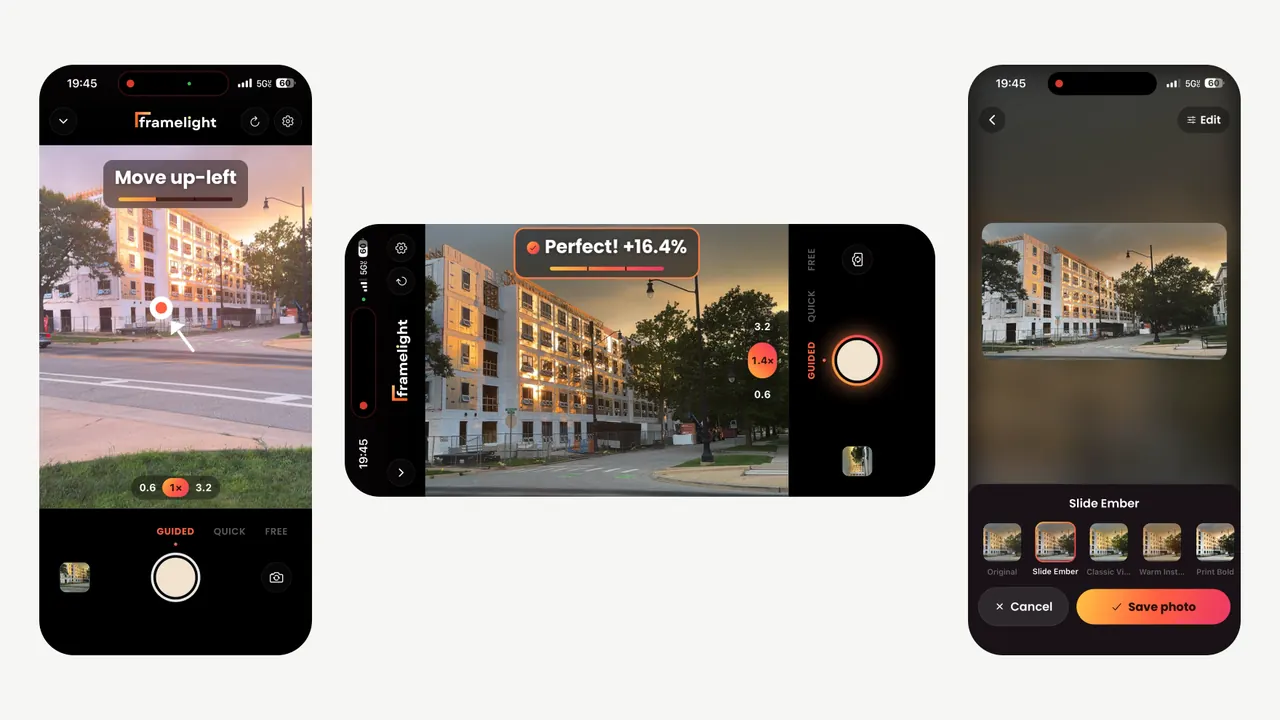
One shot at golden hour on an iPhone: Framelight prompts “Move up-left”, says “Perfect!” once the framing is right, then suggests film looks for the photo.Framelight on an iPhone at golden hour, held sideways: “Perfect!” once the framing is right.
Framelight is a camera app that reads the live preview on the phone and tells you where to point, how far to zoom and when to shoot. It is live on the App Store and Google Play.
I’m its technical lead: I designed the guidance loop, trained and deployed its composition model, set the app’s architecture and led the 15-person team that built and shipped it.
What I did
Designed the real-time guidance loop: it finds the subject on-device, scores 7–8 framings anchored on it and turns the best into one steady prompt.
Trained and deployed the on-device composition model (MobileNetV2, TFLite, int8 weights); on CADB it picks the better of two photos 76.8% of the time.
Set the app’s architecture and led everything we built: camera-thread subject tracking, auto-zoom, selfie mode, a level guide and zoom dial, and framelight.ai.
Designed and built the film-look pipeline: ~296 source LUTs curated to 60 looks, ranked per photo and graded by one GPU shader.
Shipped the app to both stores: a native Kotlin module for scoped-storage saving, Android 15’s 16 KB page-size compliance and App Review.
Figures
you move the phone; every 150 ms the loop reads the next framethe shot
How the coaching works, all on the phone: it finds the subject, scores a handful of framings around it and turns the best into one steady prompt, every 150 ms.Hover over a box, or tab to it, for how that step works.Tap a box for how that step works.Live preview. The app takes a preview snapshot every 150 ms (every 500 ms once “Perfect” is locked) and decodes it once with OpenCV for every stage after it.Subject lock. Drag or tap a subject, and a frame-processor tracker follows it on the camera thread at up to 40 fps, re-acquiring it if it is lost.Find the subject. Edge density on a small copy of the frame locates the subject; an ML Kit face takes over when there is one, and selfie mode frames every face.Candidate framings. Thirds, center, tight, wide, golden-ratio and gaze-room crops anchored on the subject, in place of a ~990-crop sliding window.Composition model. I trained it on AVA, then CADB, and shipped it at 2.5 MB; it orders photo pairs as human raters do 76.8% of the time. It ranks photos, not crops, so in June 2026 we moved live guidance to heuristic scoring.Score each framing. Heuristic composition features rank the crops; our MVP fused them with the model as 0.7 × ML + 0.3 × heuristic.One steady prompt. A 12-sample score history, a 2% noise floor and 400 ms of hysteresis turn the best crop into one of 8 directions or “Zoom in” until “Perfect!” latches; auto-zoom steps in after the pan.Film looks. The app ranks 60 looks, curated from ~296 LUTs, for each photo and suggests up to 10; one SkSL shader grades the preview, thumbnails and export alike.
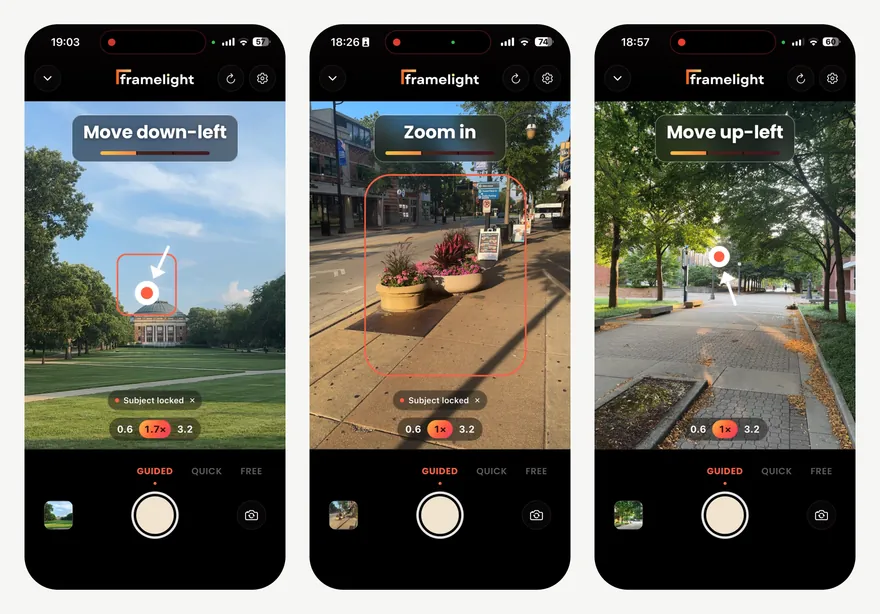
More of the coaching: “Move down-left” and “Zoom in” on subjects locked with a tap, and “Move up-left” on a tree-lined path. Each prompt is one steady move or zoom until “Perfect!”“Move down-left” on a subject locked with a tap: each prompt is one steady move or zoom until “Perfect!”
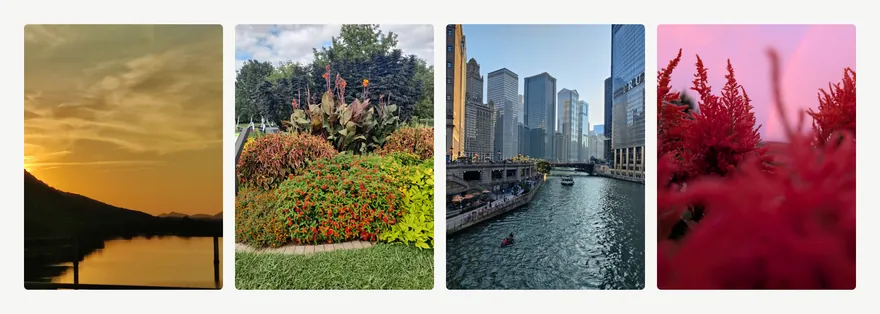
Shot with Framelight: four photos from our launch footage, two of them on our App Store page.